Live everything, per machine
Thermals, progress percentage, layer counts, fan and speed levels — all polled in parallel, all fresh. A 50-printer farm updates in about one printer's time.
Local-first 3D print farm manager
PrintLan runs your whole mixed farm — Bambu Lab, Snapmaker, Qidi and any Klipper machine — entirely on your own PC and local network. No cloud, no accounts, no per-printer fees. Plus the business layer: customers, quotes, filament inventory and the real cost of every print.
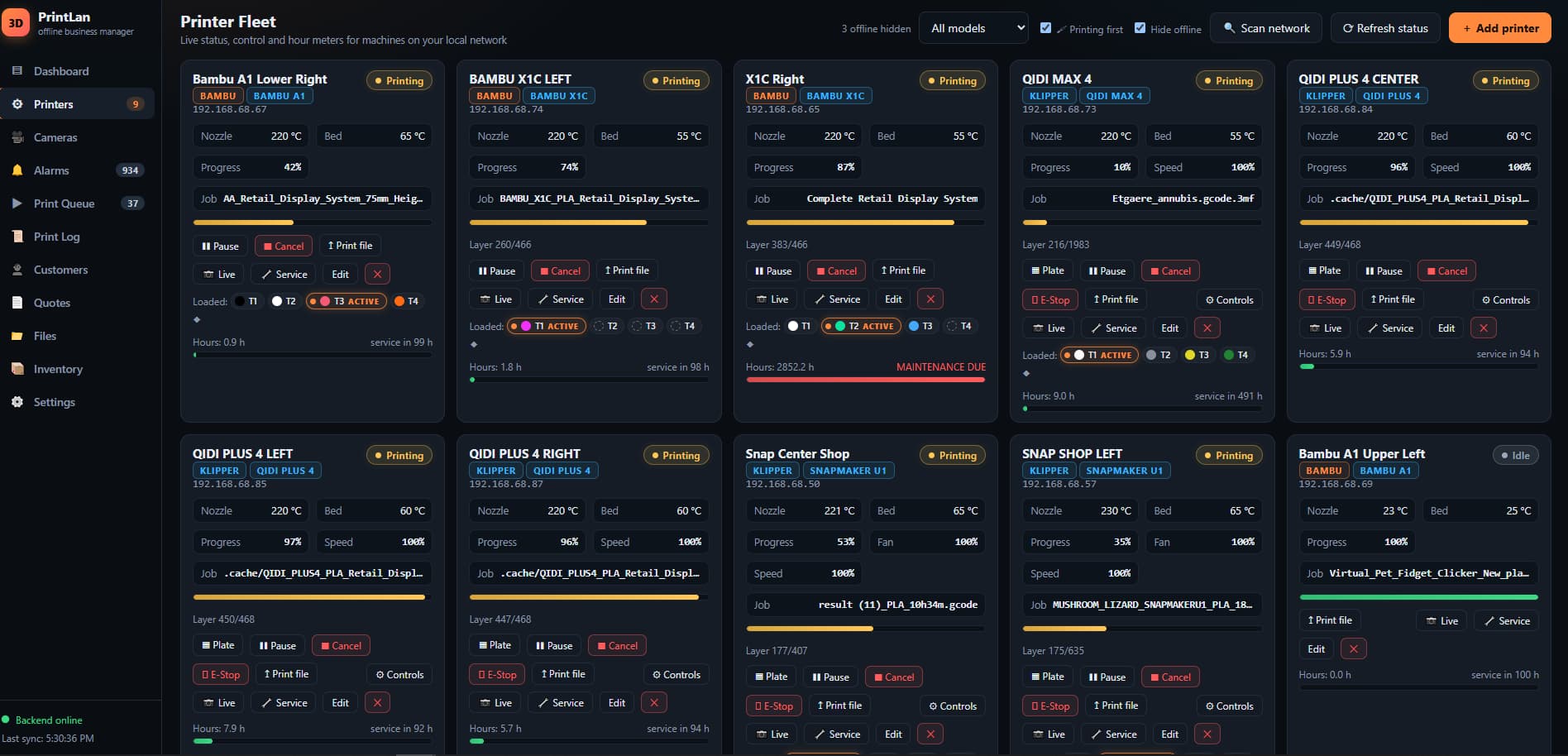
The fleet wall
Live nozzle and bed temperatures, progress, layer counts, fan and speed levels, the running job's name — and per-tool filament swatches showing exactly which colors are loaded where. Printing machines sort to the top; printers group by model.
Thermals, progress percentage, layer counts, fan and speed levels — all polled in parallel, all fresh. A 50-printer farm updates in about one printer's time.
The U1's four toolheads show which head is actively extruding with an ACTIVE marker; the Qidi's 4-lane filament box is tracked lane by lane.
One click from any card: camera, thermals, presets, jog and home, and a raw G-code console for full single-machine control when you want it.
If PrintLan doesn't know, it says offline — it never invents a status. One slow answer never flips a printer red; debounced, self-healing connections.
The killer feature
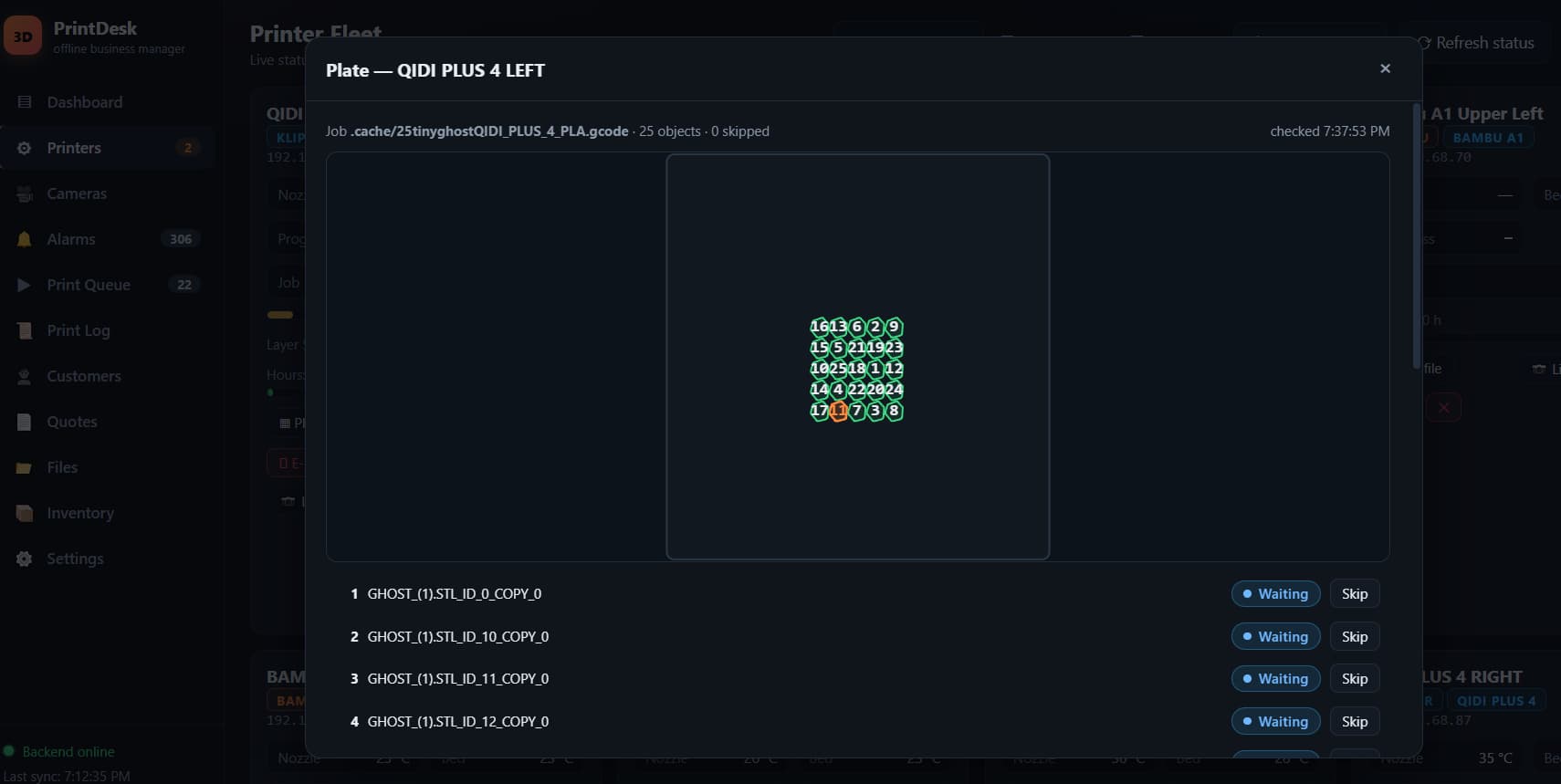
Send any sliced file to any printer and PrintLan makes it print right — colors land where the spools actually are, wrong machines are flagged before anything moves, and every guard can be rehearsed with zero risk.
FILE WANTS
SLOTS LOADED
Swap spools without re-slicing — the file's color order is rewritten in the G-code so white, black, red and amber land on whichever slots actually hold them.
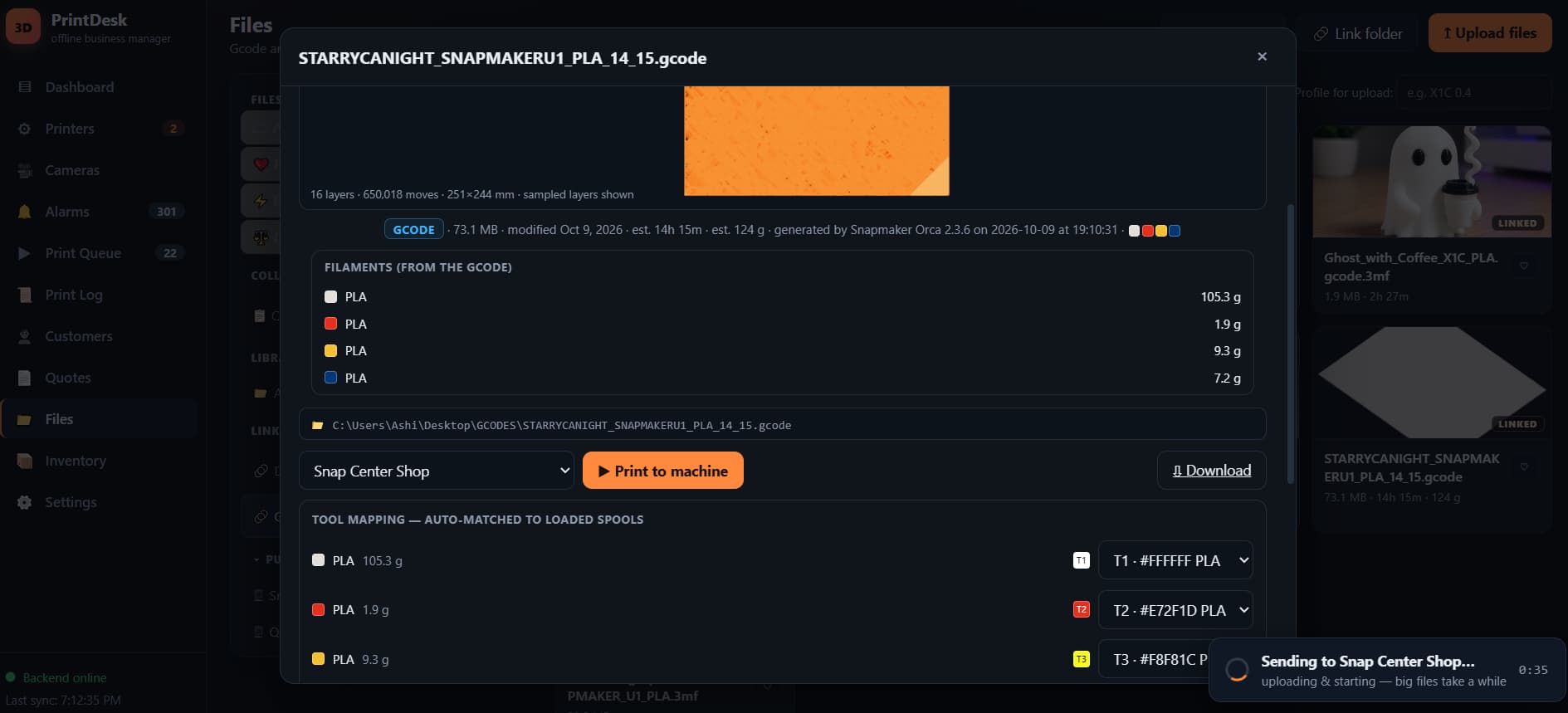
The G-code's color order is rewritten on the fly to match the spools that are actually loaded. AMS mapping for Bambu gets a slot-by-slot color check before anything is sent.
A file sliced for a 4-head machine won't silently go to a single-extruder printer. Profile and tool-count mismatches are flagged — and overridable only deliberately.
Bed leveling, flow calibration, timelapse — sent the way each manufacturer's firmware actually expects. We read Snapmaker's open-source firmware to get these right.
Rehearse the entire send — guards, mapping, prep — without starting anything. Test a new file on a farm mid-production with zero risk.
Bambu and Qidi .gcode.3mf multi-plate projects are handled natively — the correct plate is chosen automatically, metadata and thumbnails included.
"Slot 3 is loaded with blue but the file wants white." Send anyway is always your choice — the guard tells you exactly what's off before you make it.
Self-healing network
Click Scan and PrintLan finds every printer on the network — including Bambus, which don't advertise like the others — identifies their models automatically, and adds a whole shelf of machines in a couple of clicks.
The party trick: Bambu printers get a new IP address every time they power-cycle. PrintLan notices the machine went missing, scans the network, recognizes it by the serial number embedded in its security certificate — no password needed — re-points it, and logs the whole thing. Your farm heals itself about 90 seconds after a power cycle.
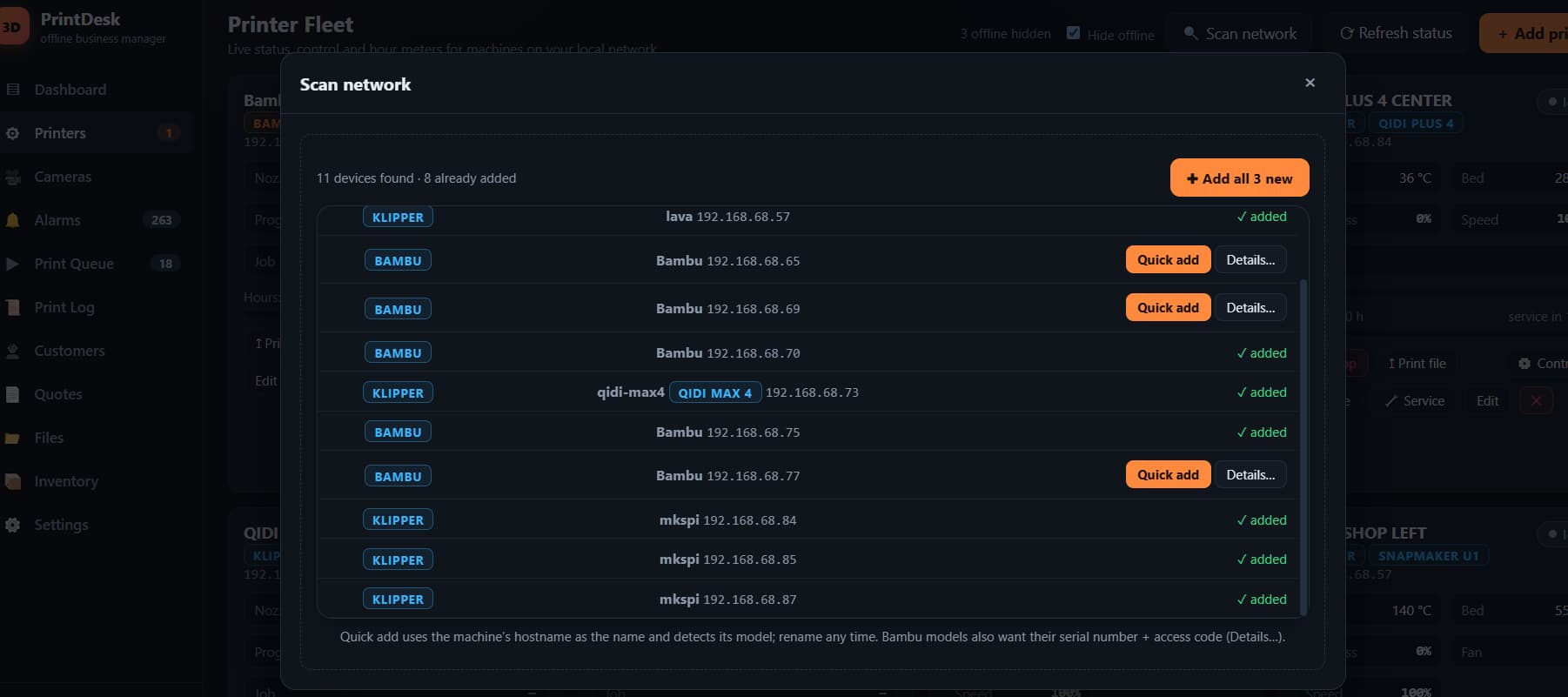
Cameras for every brand
Every printer's camera in the same dashboard: Bambu X1-series live streams, A1/P1 chamber cameras (we implemented Bambu's undocumented camera protocol directly — no ffmpeg needed on A1/P1), Snapmaker and Qidi webcams.
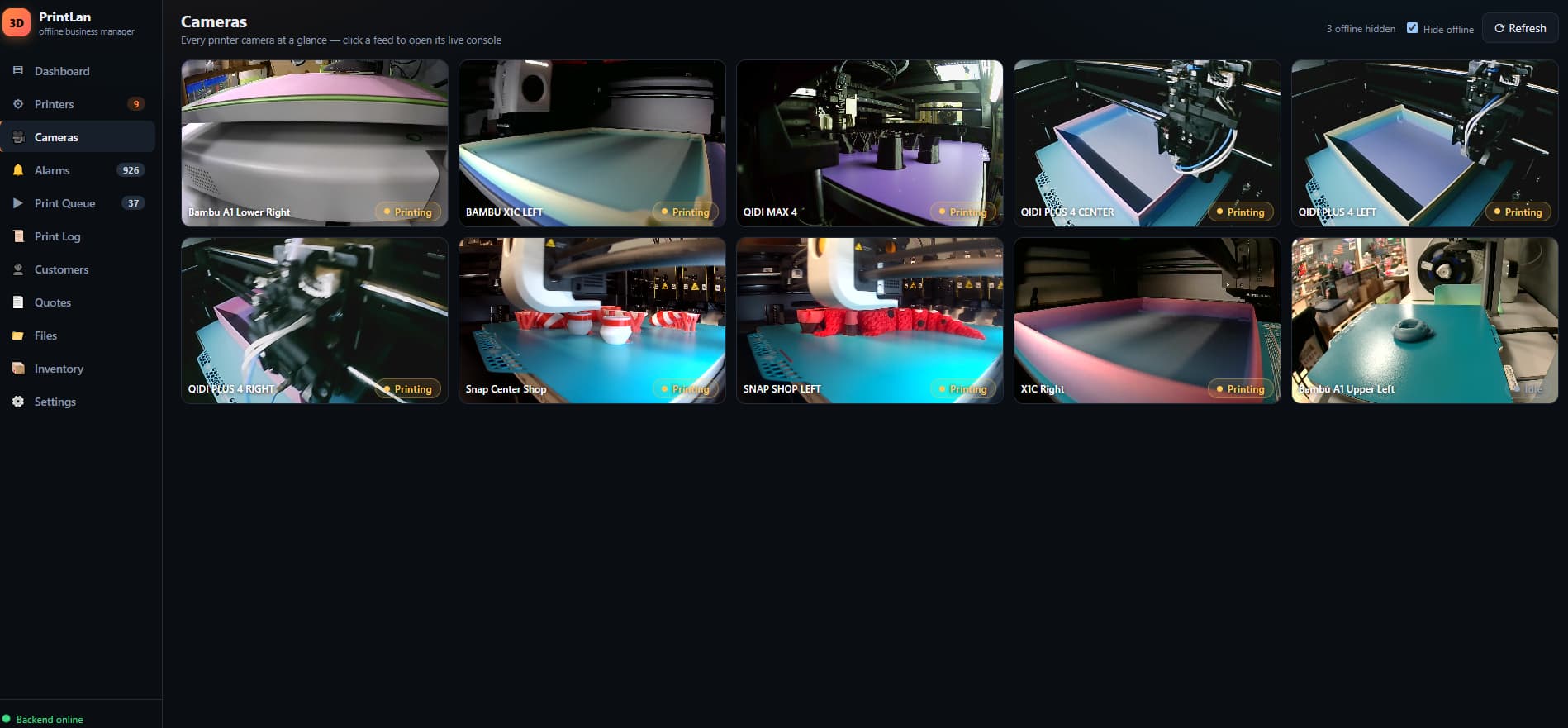
Cameras stream only while you're watching, and one polite shared stream per printer means adding viewers never multiplies the load on weak printer electronics.
A dead camera shows an honest "camera offline" tile instead of spinning forever. PrintLan keeps Snapmaker U1 camera sessions alive automatically — a stock-firmware quirk nobody else handles.
X1-series cameras need ffmpeg installed once — one winget command, and the app tells you exactly which. A1/P1 cameras and all Klipper-brand cameras need nothing extra.
Mid-print control
Pause, resume or cancel from any card or the console. A true emergency stop — hold-to-confirm, so it can't fire by accident.
The business layer
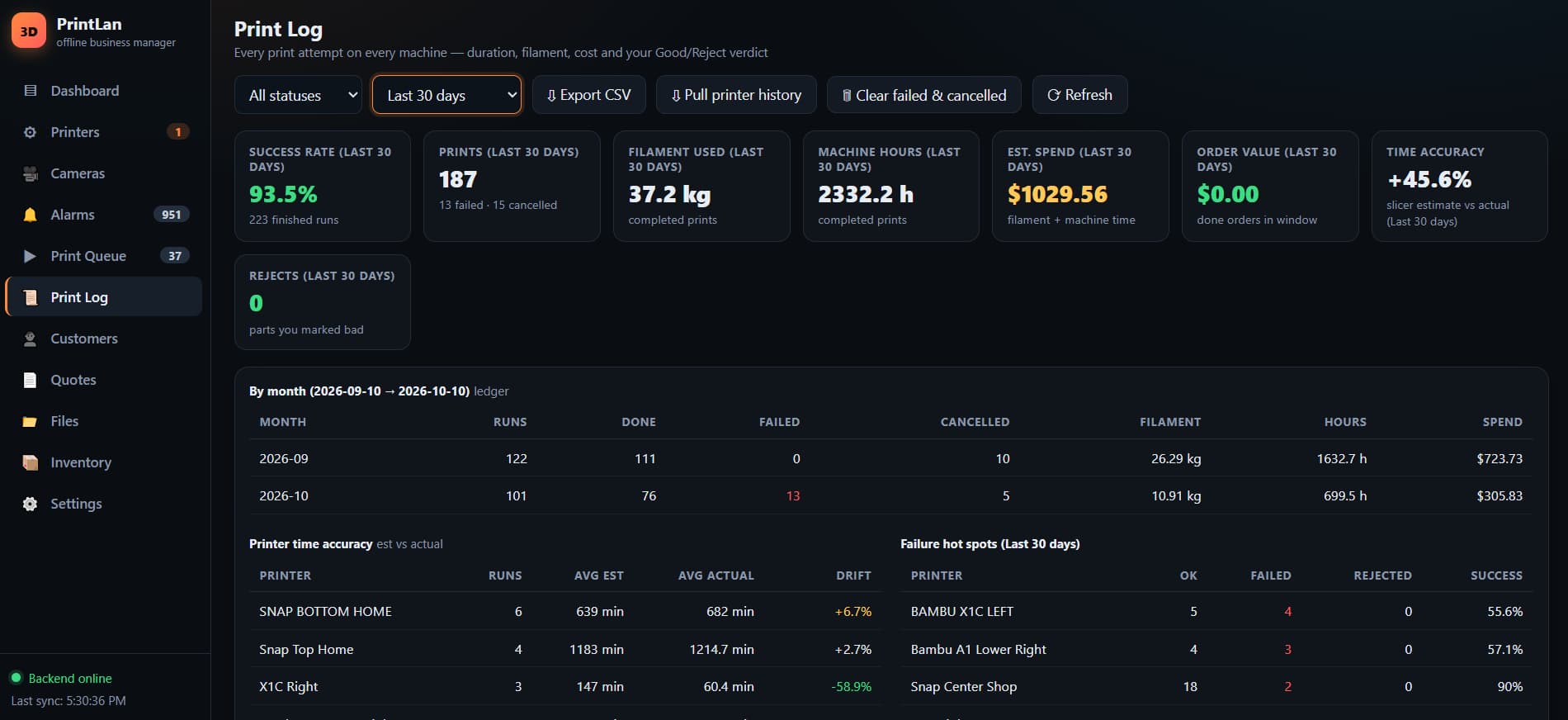
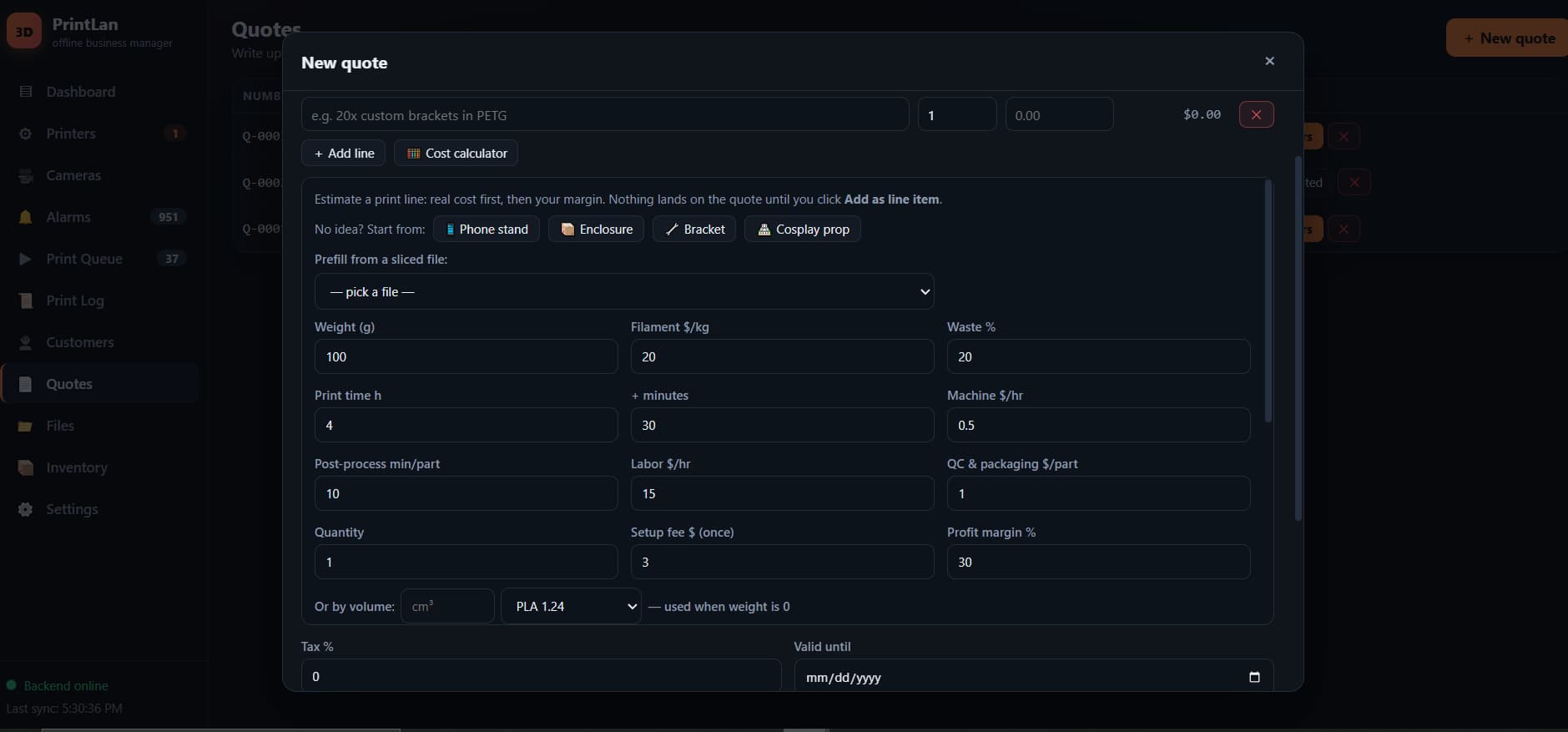
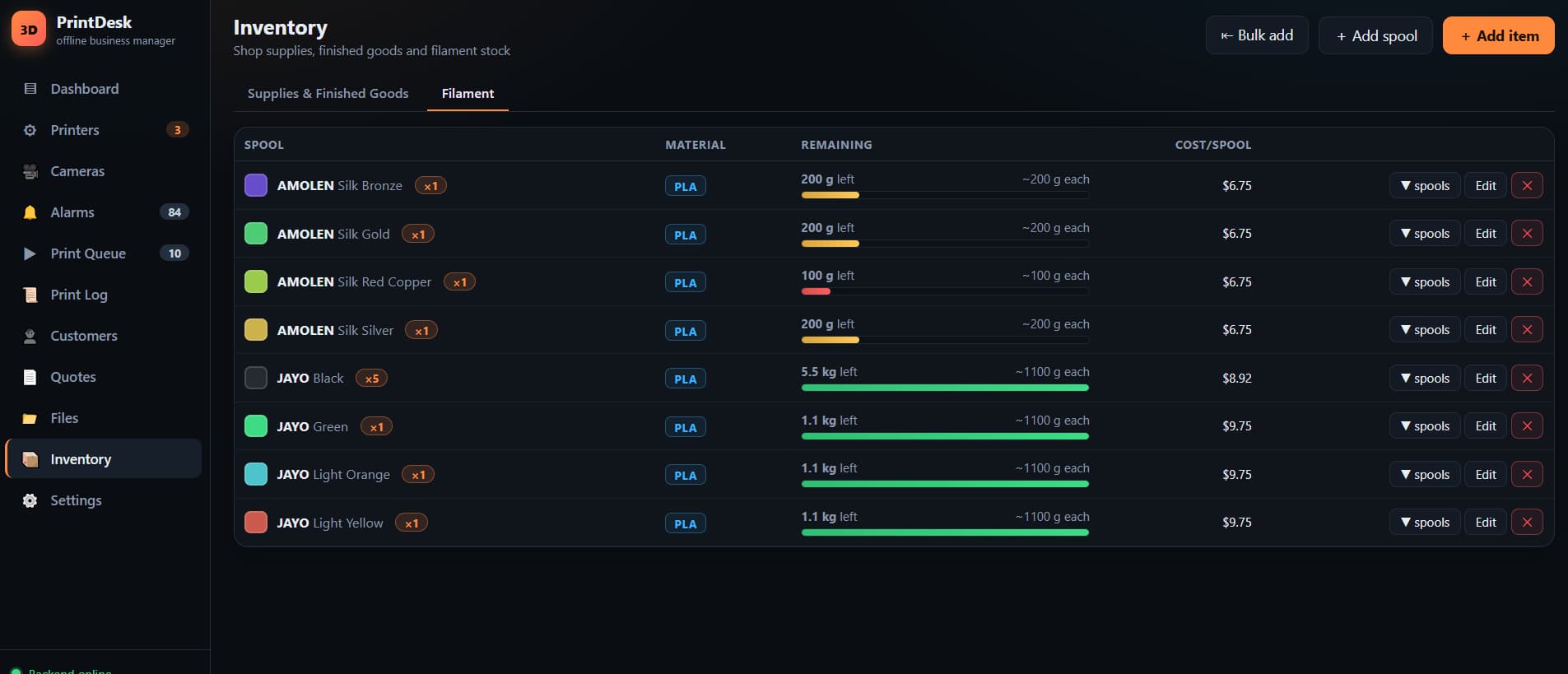
Other tools watch printers. PrintLan tracks the shop: every print is logged automatically with duration, grams, estimated vs actual time, status — and cost in real dollars. Even prints started at the printer, or ones that ran while your PC was asleep, are recovered from the printers' own job history.
Printer offline, Bambu error codes decoded to plain meaning, filament runout, missed prints — pushed to Discord or your self-hosted ntfy server. No cloud middleman.
Built farm-first
Every detail below exists because a 13-printer farm with customer orders demanded it.
Upload files or link folders — they index themselves. Slice into the folder and the file appears ready to print within a minute: metadata, colors and thumbnail included. Collections, favorites, duplicate detection, search, and a Ready to print view that matches files to the printers that can run them.
24 parallel workers — a 50-printer farm updates in about one printer's time.
One stream per printer, fanned out to every viewer — weak boards are never hammered.
Dead machines are checked less often, so they never slow the live ones.
Debounced status — one slow answer never flips a printer to "offline". If it doesn't know, it says so.
Under the hood
PrintLan speaks to printers the way their own studio software does — Moonraker/Klipper HTTP APIs for Klipper machines, Bambu's local MQTT control channel, FTPS file transfer, RTSP and camera protocols for Bambus, SSDP + mDNS + network scanning for discovery. Field-verified against real printers, down to reading the printer model from the filename a slicer embeds in the G-code.
We reverse-engineer what vendors won't document — Bambu's A1/P1 camera protocol, their incremental status telemetry, the exact print-start payload their own studio sends, Snapmaker's firmware-gated calibration flags. When a vendor changes something, PrintLan adapts — updates have shipped the same day.
speaks natively
"The same protocol layer Bambu Studio itself uses — reimplemented for the whole farm, and hardened on a live one."
Why PrintLan
Offline, on your hardware, for every brand you own — with the business math included.
| Capability | PrintLan | Cloud dashboards | Vendor apps | Per-printer web UIs | DIY spreadsheets |
|---|---|---|---|---|---|
| Runs entirely on your PC — no cloud | ✓ | ✗ | partly | ✓ | ✓ |
| No subscription, no account | ✓ | ✗ | ✓ | ✓ | ✓ |
| Works during an internet outage | ✓ | ✗ | partly | ✓ | ✓ |
| Mixed brands on one wall | ✓ | some brands | ✗ | ✗ | manual |
| Customers, quotes & orders | ✓ | ✗ | ✗ | ✗ | you build it |
| Real cost-per-print & tax export | ✓ | limited | ✗ | ✗ | you build it |
| Failure photos & time learning | ✓ | ✗ | ✗ | ✗ | ✗ |
| Color-aware dispatch guards | ✓ | ✗ | own brand | ✗ | ✗ |
| Serial-based Bambu self-healing | ✓ | ✗ | ✗ | ✗ | ✗ |
vs vendor apps — Bambu Handy/Studio, the Snapmaker toolchain and QIDI Studio each see only their own brand, and none has the business layer.
vs per-printer UIs — Mainsail and Fluidd are one-printer dashboards; PrintLan is the shop dashboard above them, with full single-machine control still a click away.
vs DIY — you'd spend months building color-aware dispatch, automatic filament deduction, failure timelines, time learning and serial self-healing — and they're already hardened on a live farm.
Setup & requirements
One double-click to start — start.bat installs its own dependencies on first run. Honest requirements, no asterisks.
A Windows 10/11 PC on the same network as the printers. First run installs everything it needs. Opens in Chrome, Edge or Firefox.
PrintLan finds every printer on the network and identifies the models automatically. Klipper machines (Snapmaker U1, Qidi, Voron…) need nothing special — optional API key supported. A whole shelf of machines joins in a couple of clicks.
Bambu's firmware requires you to opt in to local control, per printer:
PrintLan reads the serial automatically from the printer's security certificate (you never type it), verifies the access code for you, and warns clearly if Developer Mode is off — a printer that uploads but never starts is the classic symptom, and the fix is the toggle above.
Windows 10/11 PC · printers and PC on the same local network — that's how it stays cloud-free.
Printers on a different subnet than your PC will show offline — a network fact, not a bug. Your PC is the brain today, so it stays on; a Raspberry Pi appliance is on the roadmap.
LAN-Only Mode is Bambu's own cloud opt-out: with it on, Bambu's cloud apps (like Bambu Handy) can no longer reach that printer. That's the point — everything local, PrintLan included, keeps working.
Roadmap
Deliberately not planned: no cloud, no accounts, no telemetry. That's the product.
FAQ
No. It works with the internet unplugged — it only needs your local network. The only thing that can ever leave your network is an alert you explicitly enable (Discord or ntfy push); control and data never do.
Yes — A1, P1 and X1 series. You enable LAN-Only Mode and Developer Mode once on each printer's touchscreen (Bambu requires this for any third-party control), and PrintLan handles the rest, including auto-detecting serials and self-healing IP changes.
It guards against that: profile, tool-count, color and slot checks run before anything is sent — and you can always override deliberately, or rehearse the whole send in dry-run mode first.
It stays in files on your PC — an SQLite database and your own folders. Backups are a zip you keep. Delete them and it's gone; nobody else ever had a copy.
Today, yes — PrintLan is the brain. An always-on Raspberry Pi appliance is on the roadmap. And prints that ran while the PC was off are recovered into the log automatically when it returns.
Really. The current production install runs Bambu X1Cs and A1s, Qidi Plus 4s, a Qidi Max 4 and Snapmaker U1s side by side — 13 printers, three brands, one wall.
Closed machines that aren't Bambu and don't run Klipper — for example Creality's older stock firmware, or a Prusa without Moonraker. If it's a Bambu Lab printer or Klipper-based (Snapmaker, Qidi, Voron, RatRig, Prusa with Moonraker…), PrintLan runs it.
Pricing isn't announced yet. The promise: one low, flat price for your whole shop — the same whether PrintLan connects 5 printers or 50. Never per-printer, never a subscription: the software runs on your hardware, so more machines cost it nothing. Join the list to hear it first.
Early access
PrintLan is in daily production on a real 13-printer mixed farm, and we're opening it to a small group of print-farm operators. Every answer below goes straight to the roadmap — it decides what gets built next.
Prefer chat? Ask on Discord or email us.